Loading
Guide
How to use Daa-e
Your consultancy workspace on Daa-e: add clients, find routes that fit them, prepare them for interviews and track every case to enrolment, on verified, sourced facts.
- 1Welcome to your agency workspace
- 2Add a client
- 3Run Prep, then Session
- 4Browse the catalogue as your client
- 5Mock interviews
- 6Track every case in the pipeline
- 7Bring in your team
- 8How agency credits work
Step 1 of 8
Welcome to your agency workspace
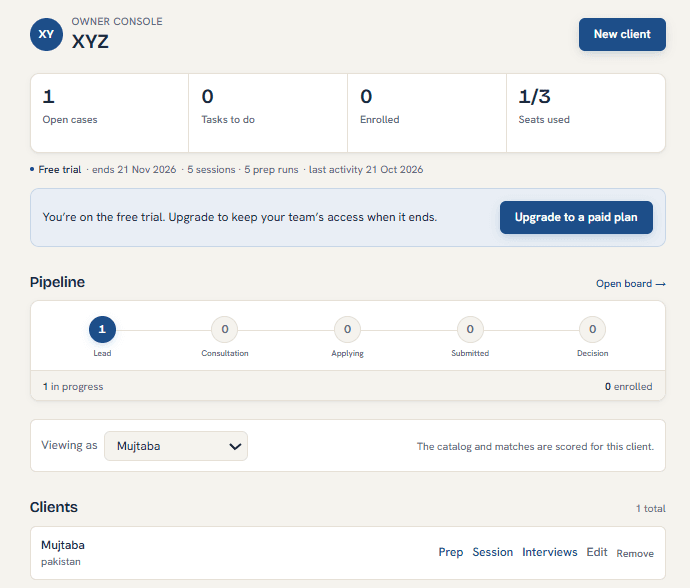 Open your clients
Daa-e is a verified catalogue of study programmes and visa-sponsored work routes. Tuition, entry requirements, visa rules and licensed employers each link to the official page they came from, with the date they were last checked.
As an agency you work on behalf of your clients. You keep one record per client, run matches for them, and move each case through your pipeline. Your clients never need a Daa-e account.
Step 2 of 8
Add a client
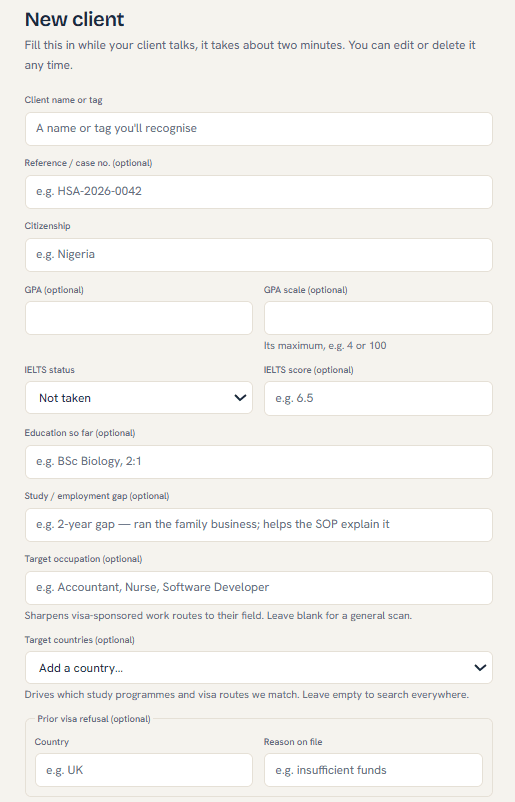
A client record is a working profile, not an account. Use a label your team recognises (a name or a case reference) and fill in what you know: citizenship, current education, GPA, English test scores, budget and the countries they are considering.
Missing details don't block anything. Matches still run, and they tell you exactly which detail would change the result.
- Add a case reference (for example HSA-2026-0042) to match your own files.
- You can edit a client at any time from their page.
Step 3 of 8
Run Prep, then Session
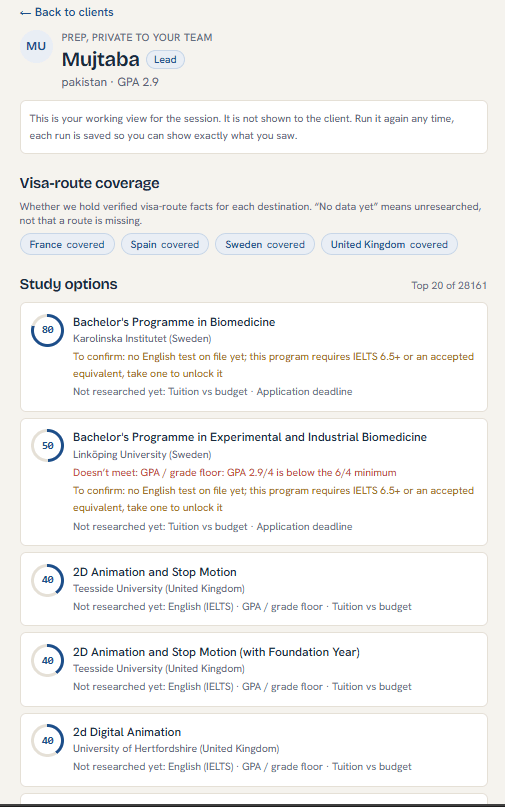
From a client, open Prep to see which study programmes and work routes fit them, with a 0-100 score and what they are missing. Nothing in Prep is shown to the client.
Session is the same match, run with the client in the room. Each run is saved, so you can show later exactly what you saw that day, or print it as a sheet.
- Prep and Session runs don't use credits.
- A score compares the profile to published requirements. Decisions belong to universities and governments.
Step 4 of 8
Browse the catalogue as your client
Open the study catalogueThe "Viewing as" switcher on your console and client list sets which client you are working for. While it is set, programme and work-route pages show that client's fit, and a banner at the top reminds you who you are working for.
Opening a programme from a client's Prep or Session sets this for you automatically.
Step 5 of 8
Mock interviews
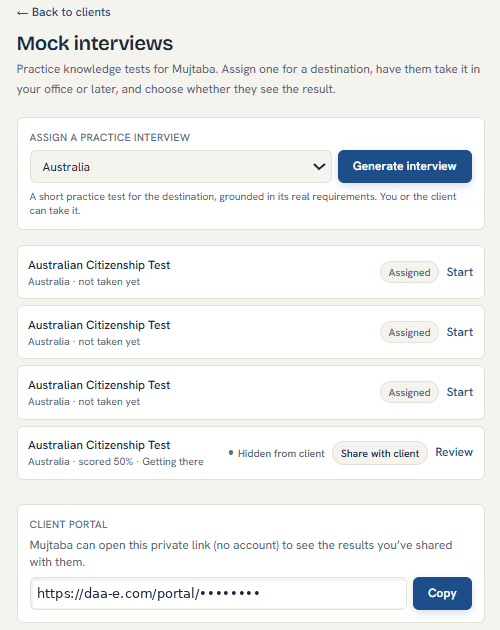
From a client, open Mock interviews, pick the destination country and generate the interview. Your client can take it in your office or later from a private link, and you review the answers.
Results stay internal until you choose Share with client. These are practice questions to help them prepare, not the official test.
- 40 credits per interview, refunded automatically if it can't be generated.
Step 6 of 8
Track every case in the pipeline
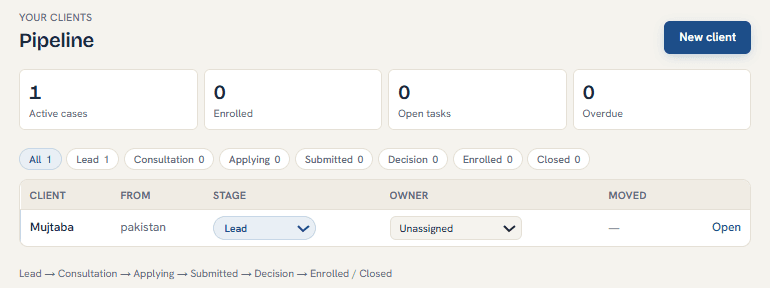 Open the pipeline
The pipeline shows every open case by stage: Lead, Consultation, Applying, Submitted, Decision, then Enrolled or Closed. Open a client to change their stage, assign them to a team member, add tasks with due dates, write notes and upload documents.
Each client also has a private portal link. Send it to them so they can see the results you have shared, without an account.
Step 7 of 8
Bring in your team
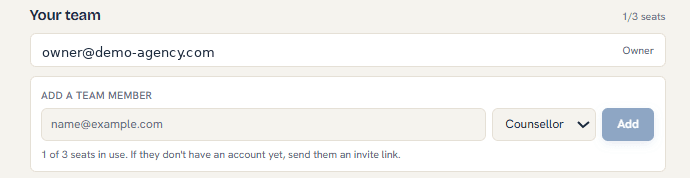 Open the console
On the console, under Your team, enter a colleague's email and choose their role. They get an invite link; if they don't have an account yet, they create one from it.
Your licence includes a number of seats. The console shows how many are in use.
Step 8 of 8
How agency credits work
Credits pay for the on-demand work: revealing a programme's or route's full facts, match reveals, mock interviews, AI drafts and deep research. Browsing, searching, the sponsor check and Prep and Session runs are free.
If a piece of AI work fails, its credits go back automatically. To add credits to your agency, contact the Daa-e team.
- Reveal a programme or route: 5 credits (once per item for your whole agency)
- Match reveal: 10 credits
- Practice visa test: 30 credits
- Mock interview: 40 credits
- Cover letter, personal statement or CV draft: 50 credits
- Deep research: 100 credits
Still have a question?
The help centre answers the common ones, or write to us and a person will reply.